

AR TCG

HOW TO PLAY


1. DOWNLOAD THE APP


I. Basics
II. Card Anatomy
III. Singleplayer
IV. Multiplayer

1. GET SOME CARDS

Purchase cards - We will post them to you in 3-5 business days. Click here to shop now
2. ADD YOUR CARDS

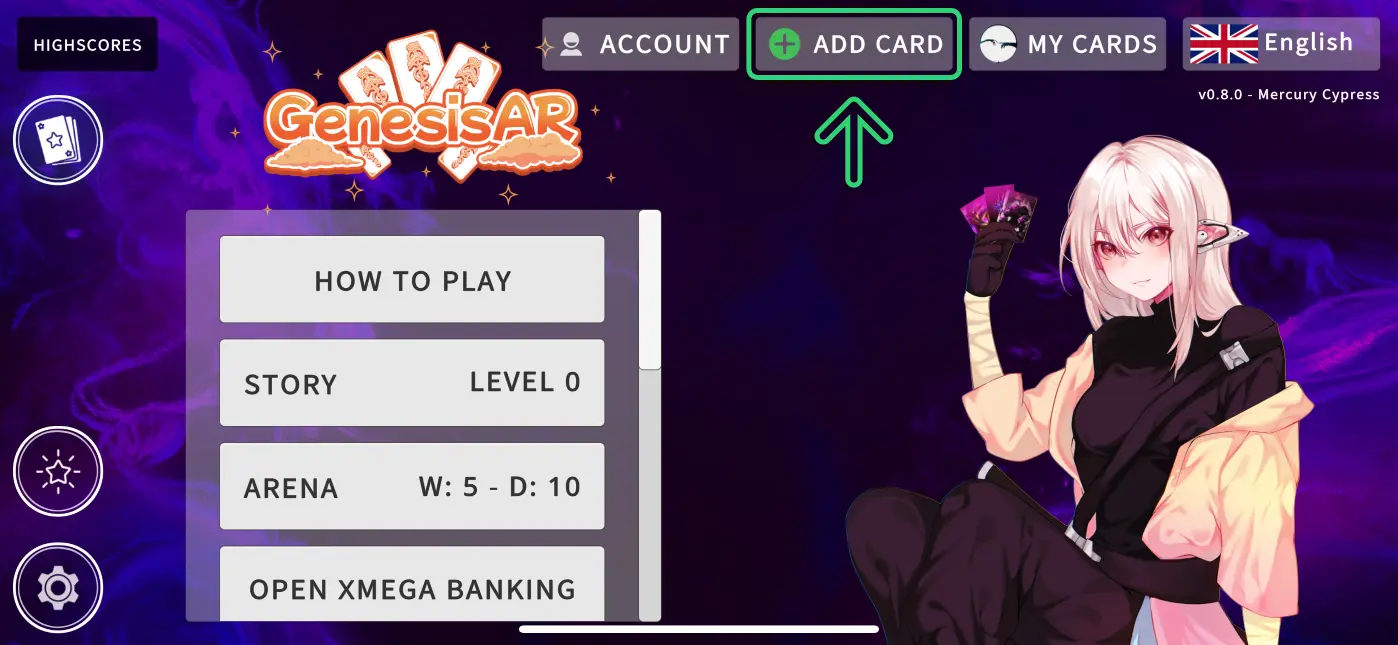
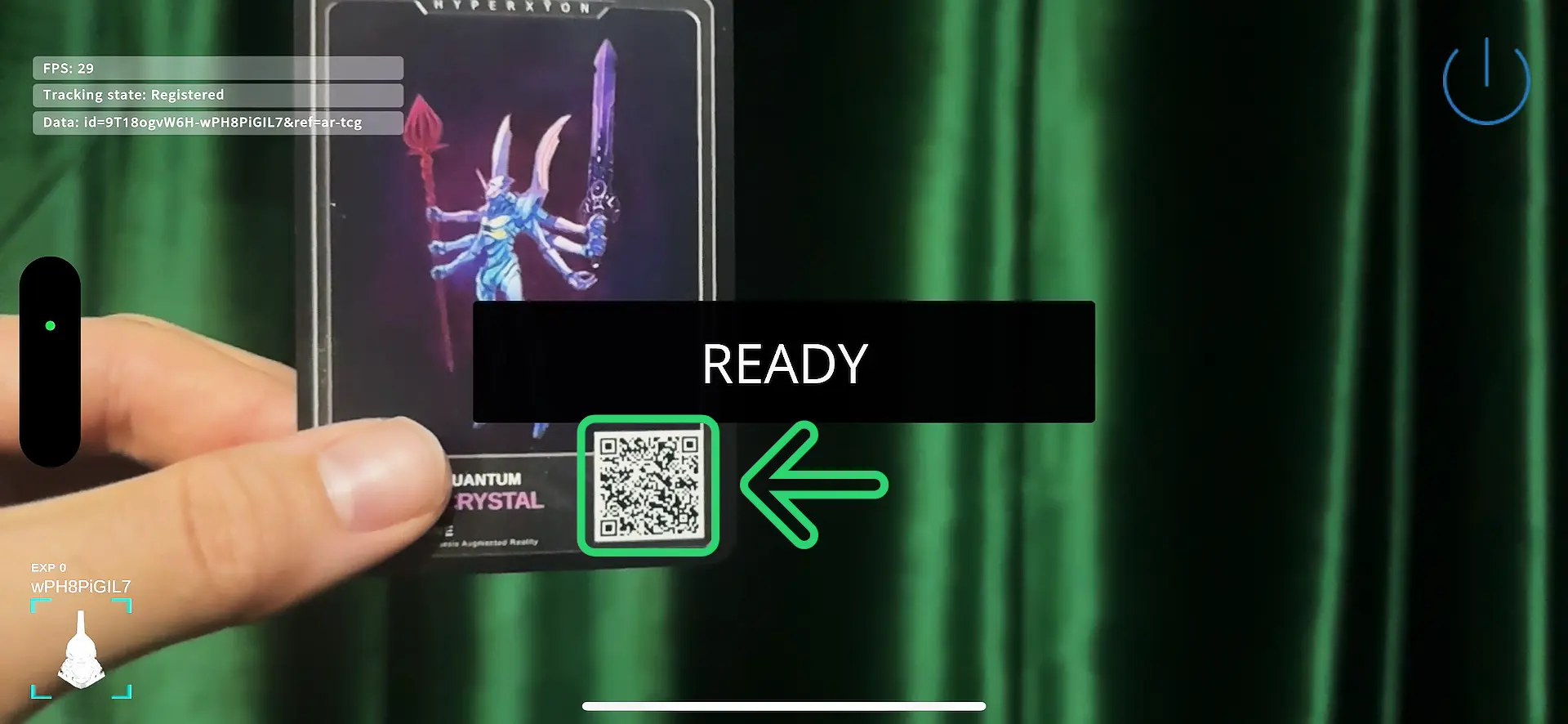
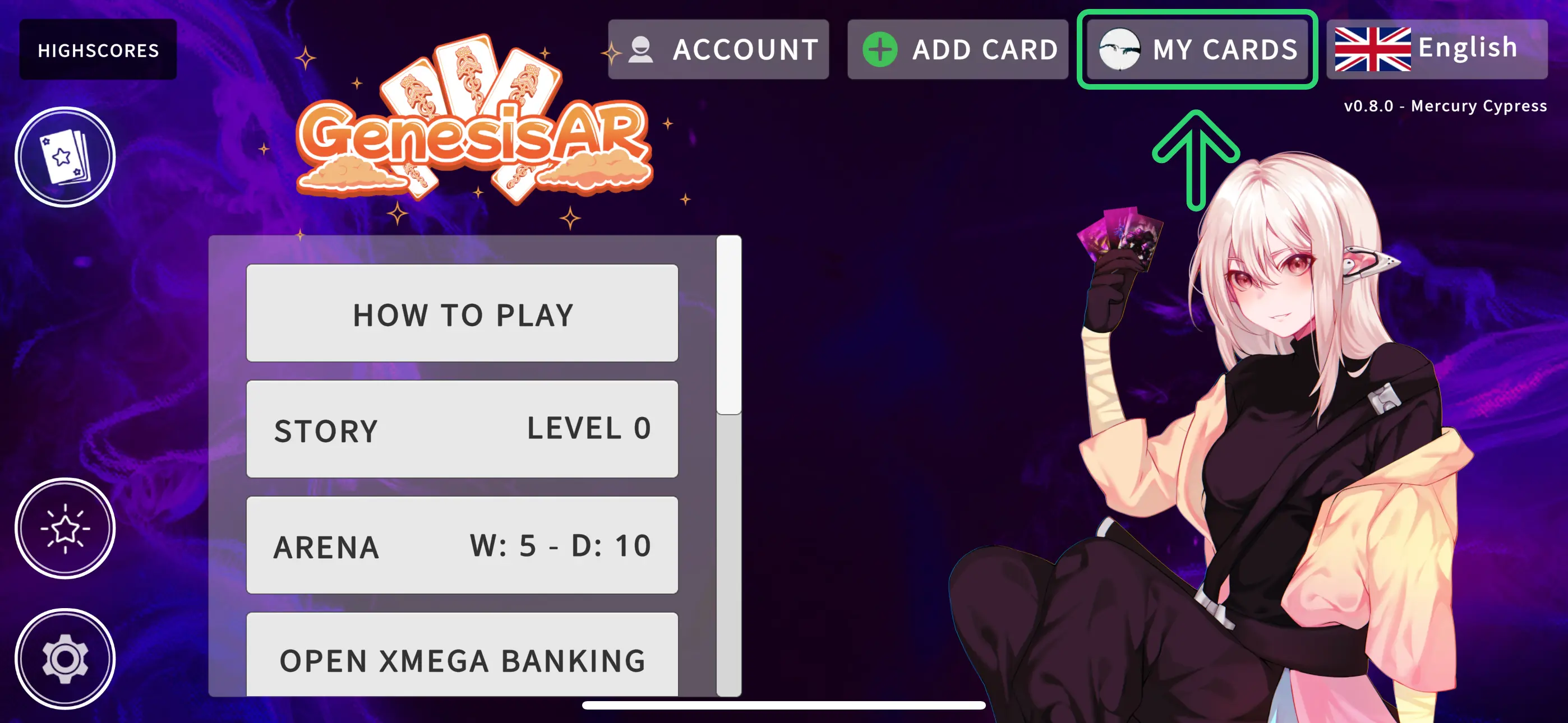
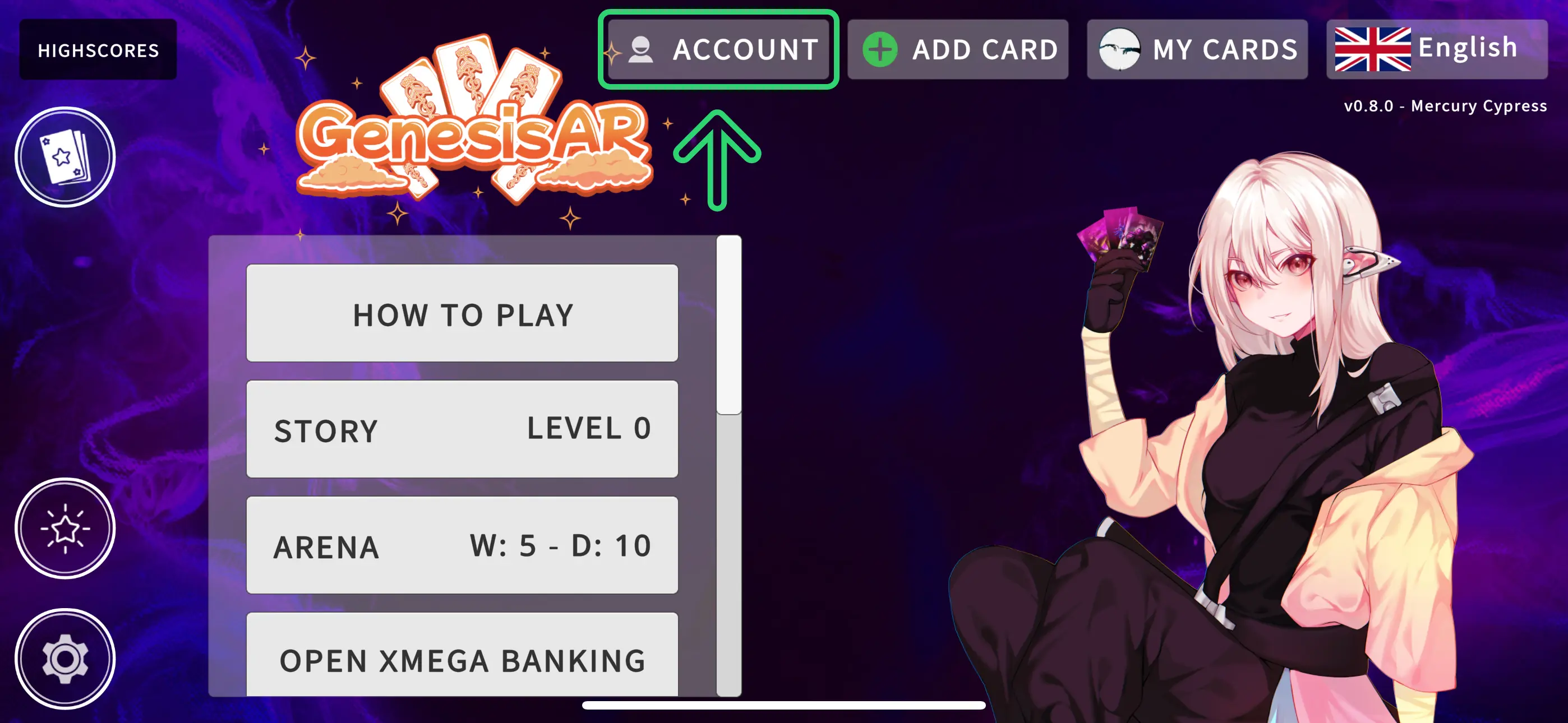
  1. Click the "Add Card" Button
  2. Scan the QR code
  3. When a card is detected you will see a popup that says "Ready"
  4. Once a card is registered, it will be added to your deck

3. MANAGE YOUR DECK

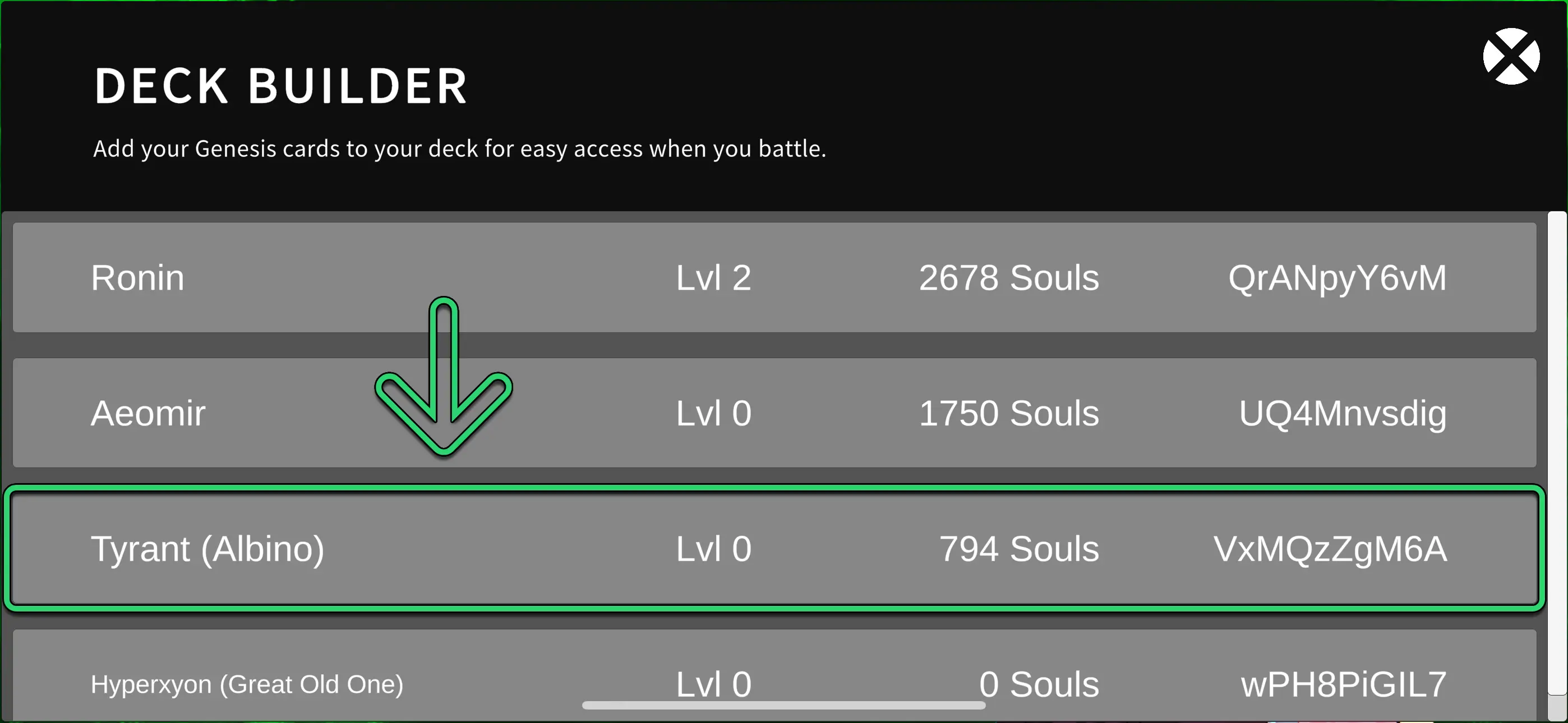
  1. Access your deck via the "My Cards" Button
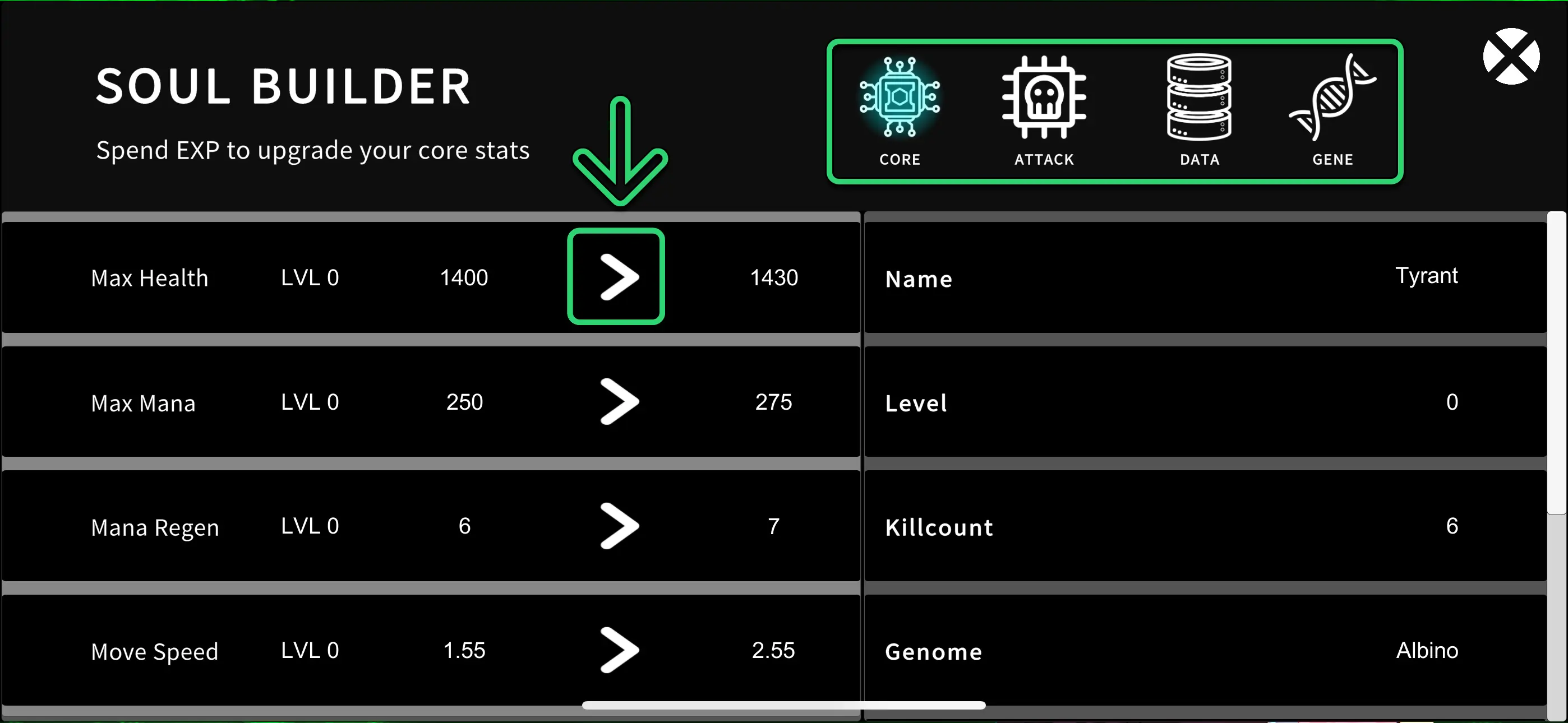
  2. Click a card entry to open it's "Soul Builder"
  3. Use the arrows to spend souls and upgrade core stats like attack damage, speed, etc
  4. Click on "Data" to apply items from your inventory to a card. Items increase core hp, mana and attack damage stats. If a card dies in battle it will lose all it's attached items.
  5. You can also click on "Gene" to apply a Mutation Genome

4. MANAGE YOUR ACCOUNT

Click the "Account" button to see your personal player data
  • Battle History
  • Account Information
    • * Mastery - Represents the total level of your deck

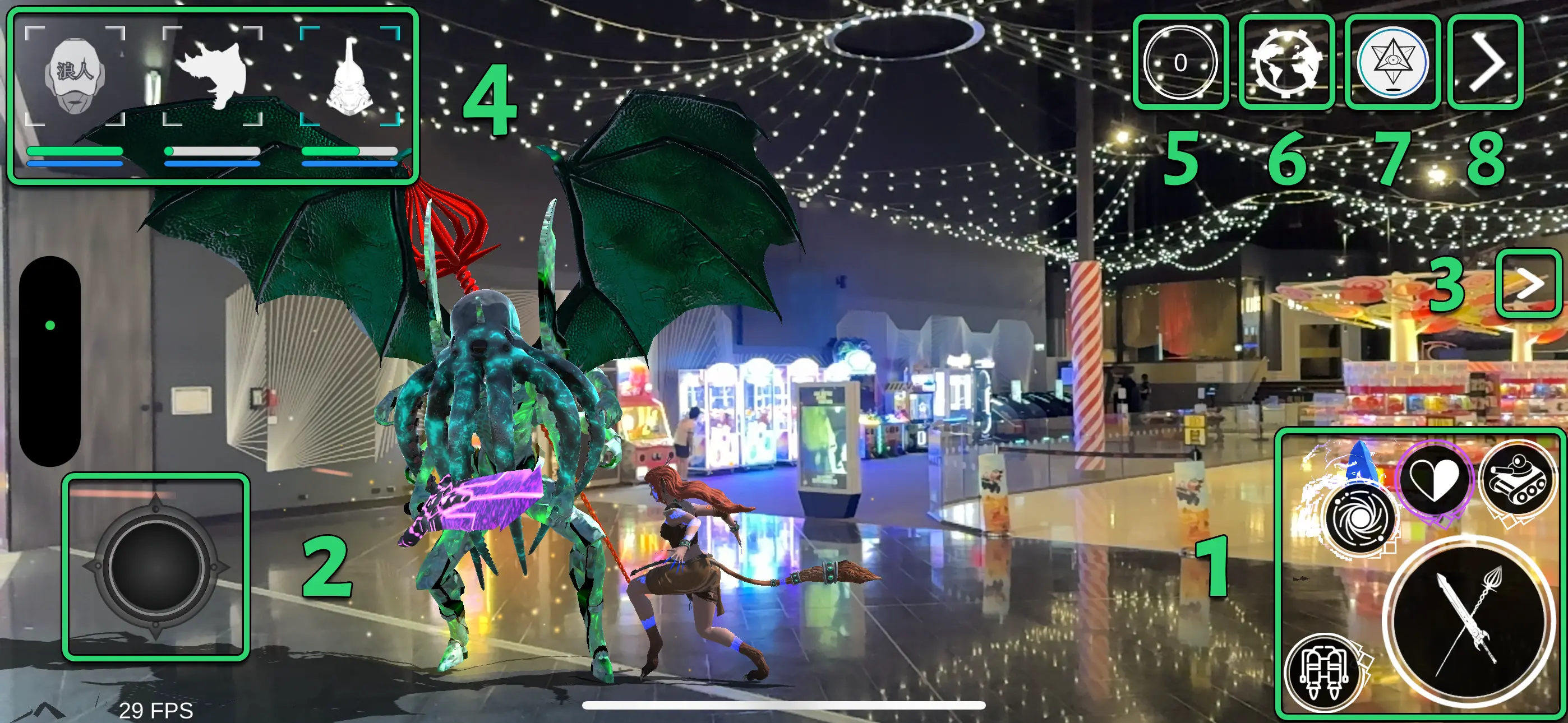
HOW TO USE THE BATTLE INTERFACE

How to Play AR TCG. Guide for how to use the augmented reality battle interface.
  1. Attack Buttons

    • Smaller buttons are special attacks
    • The large button is the basic attack
  2. Movement Joystick

  3. Open SpellBook

    • Drag a spell from the sidebar to deploy it into combat
  4. Card Container

    • Tap cards from here to swap your active card during battle
  5. KillCounter

    • Records the number of enemies you've defeated during battle
  6. Recalibration Button

    • During battle, sometimes monsters will glitch under or into objects. Tap this button to recalibrate all AR objects.
  7. Exit Game button

    • Tap this button to exit a battle
  8. Enemy Direction Indicator

    • The directional arrow will rotate to indicate the position of your enemy.

SINGLEPLAYER GAME PLAY MODES

The aim of singleplayer mode is to win SOULS for your cards through combat.

Use your souls to level up your cards in their SOUL BUILDER.

If you card dies during combat it will lose all unused SOULS. However, it will not lose any levels. Therefore, spending SOULS to level up your card is comparable to saving your in-game progress.


  1. ARENA

    Use the Arena to acquire souls for your cards. This mode is the easiest.

    Select your chosen fight configuration 1v1, 3v3 or 5v5

    And also select your chosen difficulty. The higher the difficulty the more souls you win.

    Finally, choose your gamemode. For an explanation of each mode - click here

  2. STORY MODE

    Go on an epic adventure across SpaceTime. Learn about the secret inner workings of the universe, meet new friends, lay waste to your enemies, and climb the ranks of MegaCity-01.

  3. HORDE MODE

    Fight an endless horde of zombies.

    You only have one card per battle.

  4. ENDLESS MODE

    This mode is for once you have become skilled at the game.

    You are allowed 5 cards. Enemies are endless.

    The aim is to defeat as many opponents as possible.

    Your highscore is submitted to our global leaderboard to establish your dominance within the Genesis AR TCG community.

    There are different highscores categories that correlate to the different difficulty levels.

  5. THE WILDS

    This mode is the most difficulty mode.

    You enter the wilds with your entire deck.

    Explore the terrain to find items and villages.

    If you die in the wilds you will lose everything you find.

    To exit you must return to the Home Landmark.
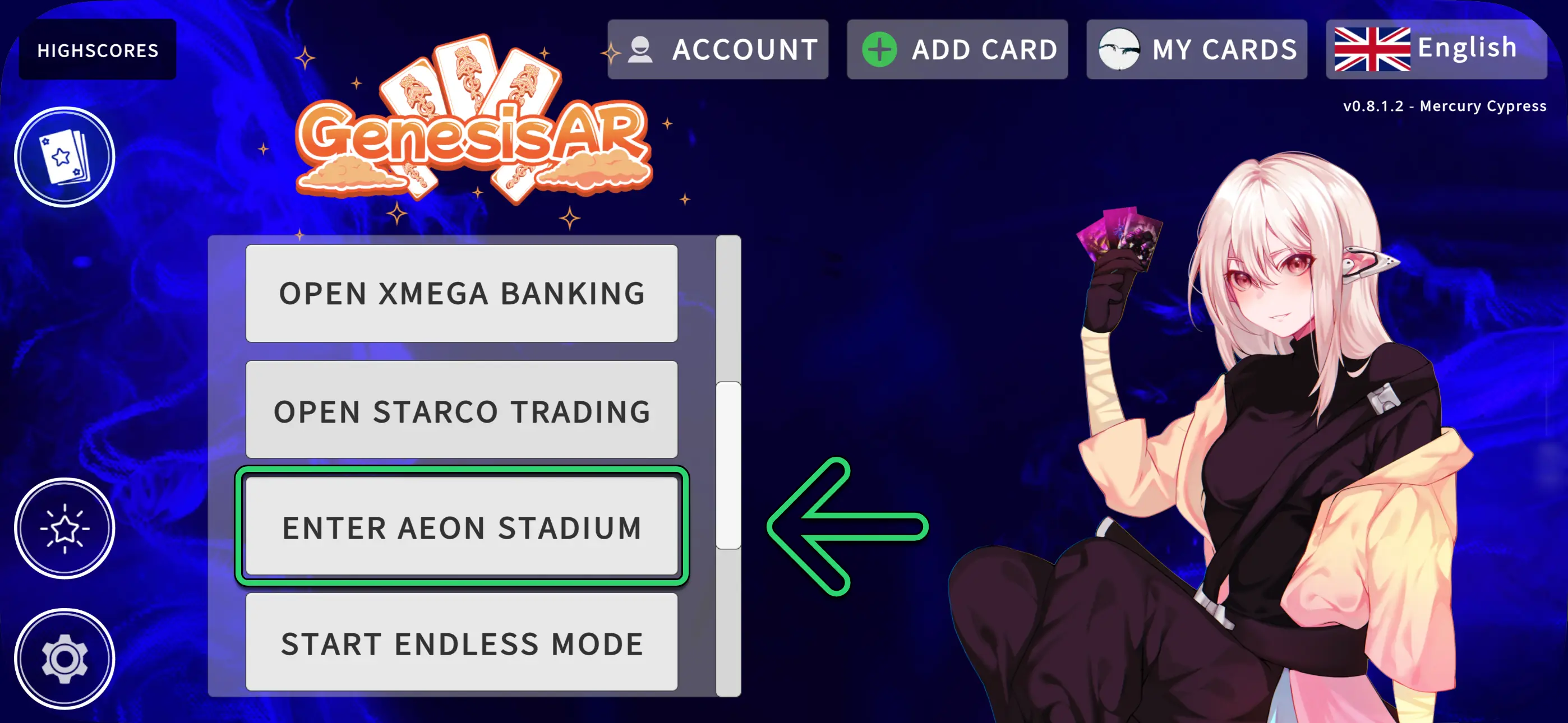
1. OPEN AEON STADIUM

  1. Select create public match or create private match
    • public matches will appear in the lobby. Anyone can join
    • private matches are not visible to all players and can only be joined by using the Join match with name button
  2. Choose the number of players for the battle
  3. Choose the number of cards per player
  4. Name the room and click Create Public/Private Match
  5. The High stakes toggle will determine if the winner of the battle will absorb all souls from the losing team. Leave this unchecked if you just want a casual battle.

2. SCAN THE BATTLE ZONE

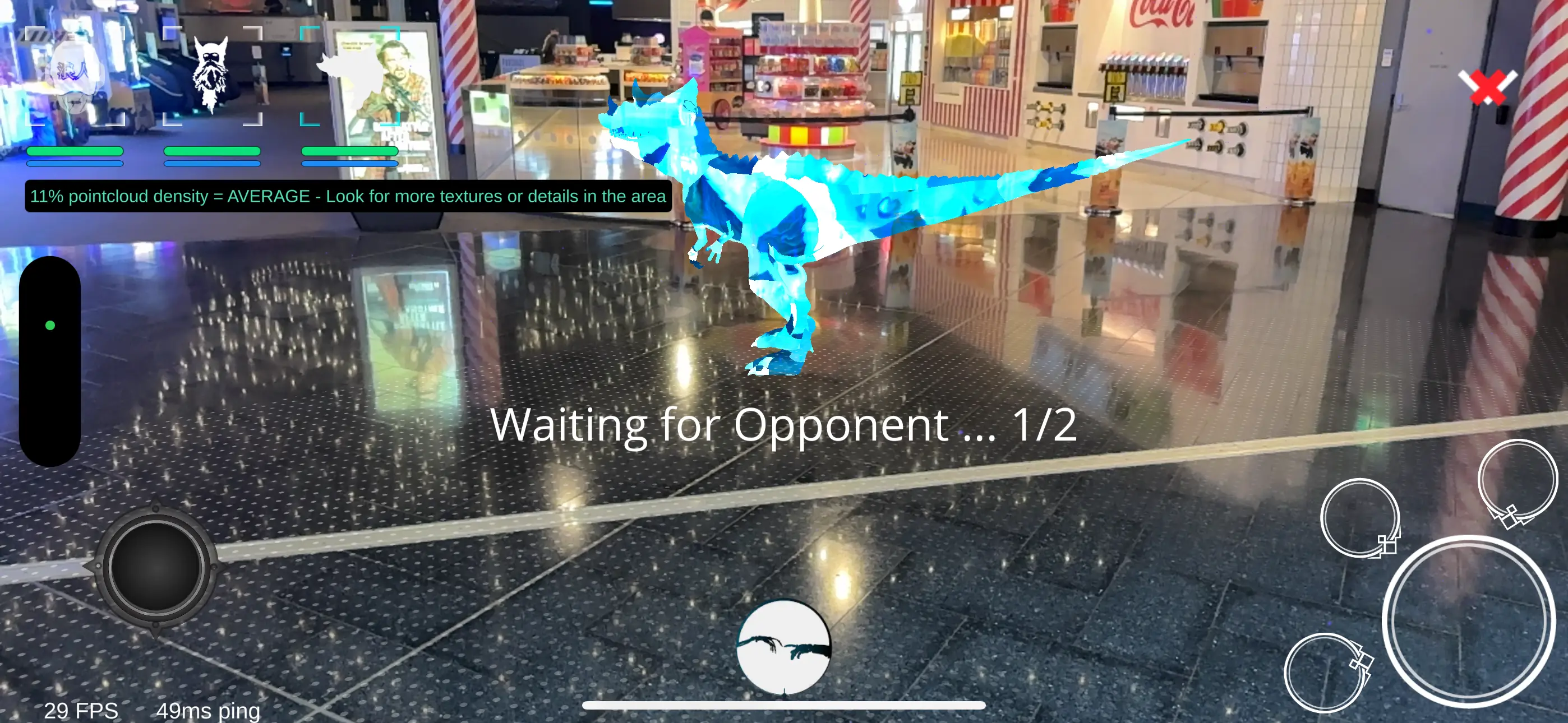
  1. Wait for all players to connect to the game server.
  2. Move your phone camera around the room until the point cloud density reaches the required value (the default is 30% - this can be changed in settings). Purple dots represent the points that increase the point cloud density.
  3. Make sure to also scan the floor. A translucent white texture with dots will appear to represent areas that can be spawned onto by your cards. If these do not appear, continue to move around the area you are in and scan more of the floor with your phone camera.
  4. Choose your first card from the top bar.
  5. Aim your phone camera at any of the white textures with dots - a blue reticle will appear. Tap the screen to summon the card. It will summon at the blue reticle position.

CARD ANATOMY

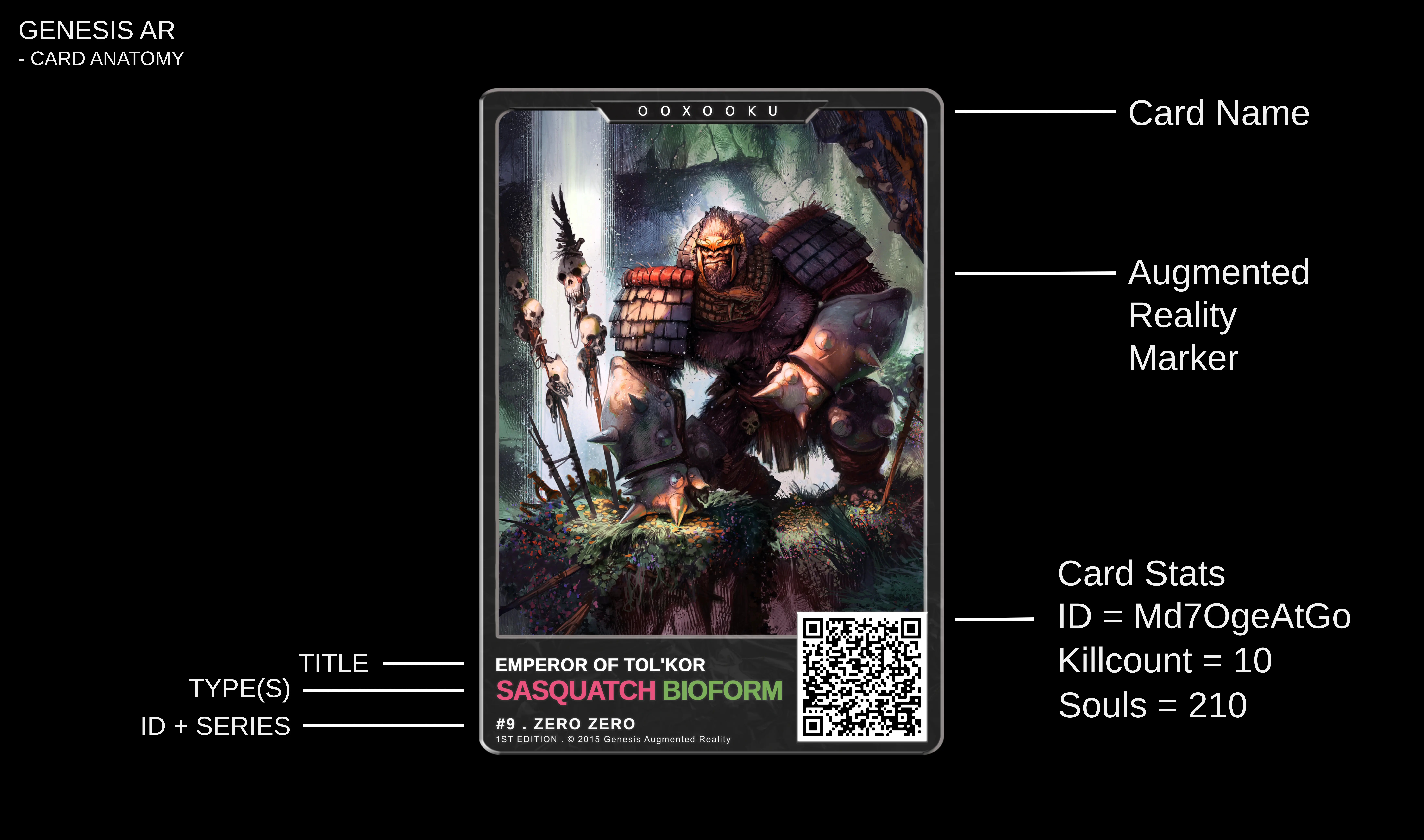
The augmented reality marker and QR code work together to turn your trading card into a data unit that is able to store information that is unique to each card. Using this system, each indvidual card can "remember" key information like their age, battle history, experience points, killcount, deathcount and any skins that are currently applied.

When traded - all information will be carried over to the new owner.

This system prevents any counterfeit cards from being produced - hence maintaining a strict lock on the total supply of cards.

AR SETTINGS INDEX

These settings will

Use your souls to level up your cards in their SOUL BUILDER.

If you card dies during combat it will lose all unused SOULS. However, it will not lose any levels. Therefore, spending SOULS to level up your card is comparable to saving your in-game progress.


  1. HOLO TERRAIN TEXTURE

    Use the Arena to acquire souls for your cards. This mode is the easiest.

    Select your chosen fight configuration 1v1, 3v3 or 5v5

    And also select your chosen difficulty. The higher the difficulty the more souls you win.

    Finally, choose your gamemode. For an explanation of each mode - click here

  2. MESH DENSITY

    Go on an epic adventure across SpaceTime. Learn about the secret inner workings of the universe, meet new friends, lay waste to your enemies, and climb the ranks of MegaCity-01.

  3. MESH UPDATE FREQUENCY

    How many times per second the terrain will update

  4. ENDLESS MODE

    This mode is for once you have become skilled at the game.

    You are allowed 5 cards. Enemies are endless.

    The aim is to defeat as many opponents as possible.

    Your highscore is submitted to our global leaderboard to establish your dominance within the Genesis AR TCG community.

    There are different highscores categories that correlate to the different difficulty levels.

  5. THE WILDS

    This mode is the most difficulty mode.

    You enter the wilds with your entire deck.

    Explore the terrain to find items and villages.

    If you die in the wilds you will lose everything you find.

    To exit you must return to the Home Landmark.
2. HAND SIZES

  1. 1 Card Duel - Deck size 12
  2. 3 Card Duel - Deck size 20
  3. 5 Card Duel - Deck size 12

2. VANILLA

  1. Vanilla mode is how the game is designed to be played
  2. Decks must be comprised of minimum 8 cards.
  3. Players shuffle their decks shuffled and drawn from your deck to your hand
  4. You must scan the cards you have drawn into you in-game hand via the QR code

3. CLASSIC

  1. Classic mode will allow you to both scan cards and choose any card from your deck
  2. Effectively allowing you to choose any cards you want

1. QUICKPLAY

  1. Quickplay will AUTO SELECT your hand randomly from your entire deck


Our Partners

Unity game engine logo
Dappradar logo
NFTKey logo
Binance smart chain logo
Google logo


Play AR TCG Premium

* Purchase a limited edition getting started pack

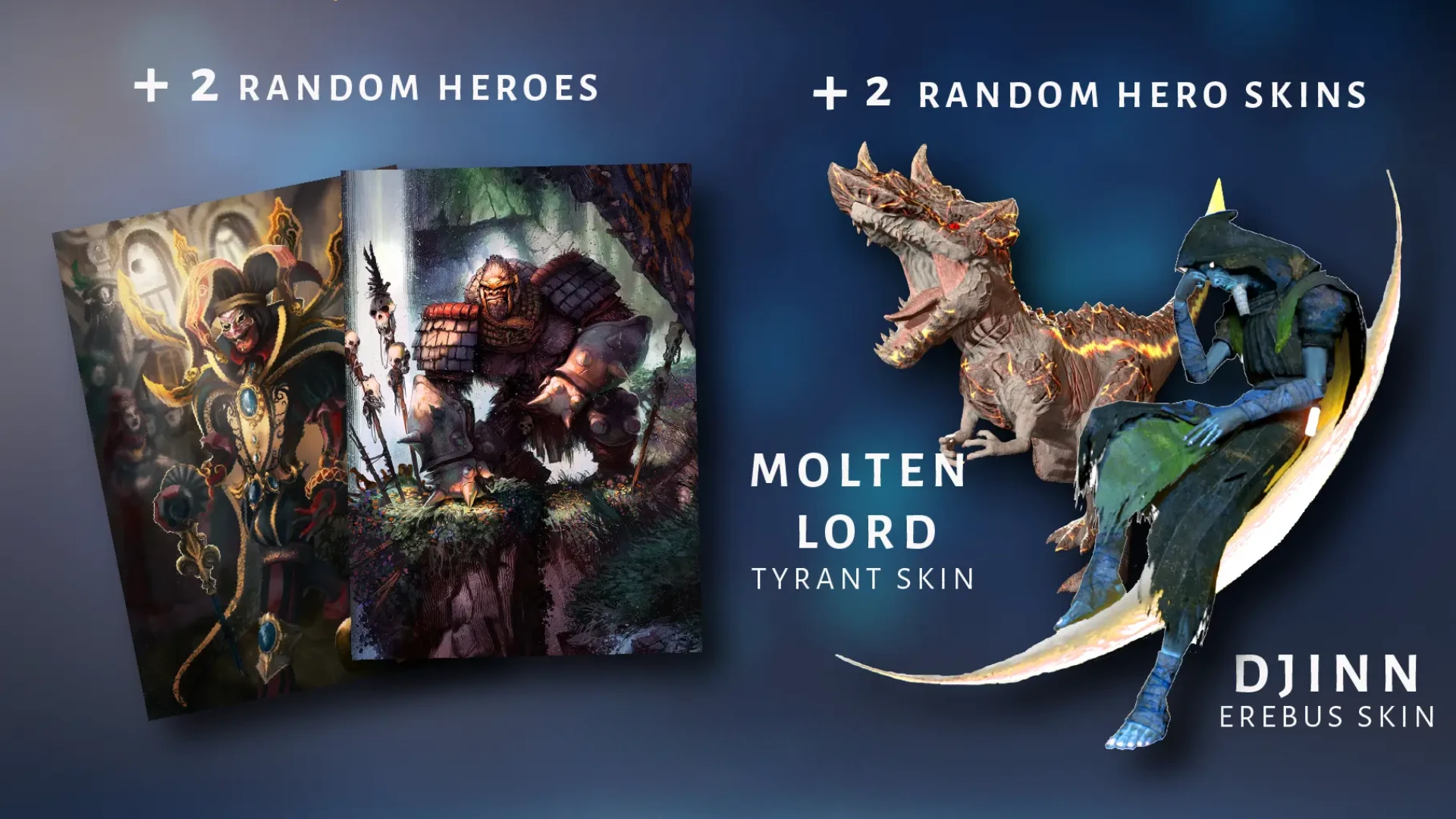
  • Comes with 3x cards (metaverse enabled)
  • Unlocks multiplayer networked battles and seasonal ranked battles

Stay in the Loop

⚡️ We will let you know when the 2.0 Augmented Reality Engine is ready.